
Lesson 3: Setting Key Performance Indicators
Measuring team performance is a key role of a Team Leader. One of the most common ways to measure how people perform is using Key Performance Indicators (KPIs).
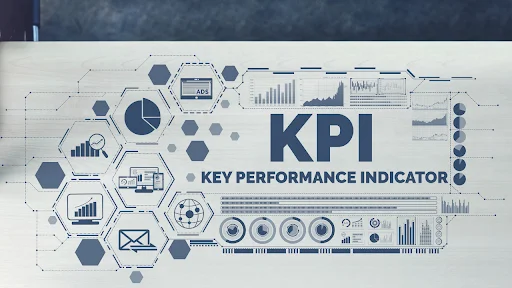
KPIs are the metrics that are most important to the company. By measuring these and working to improve on them, the customer service team can be more effective and a greater asset to the business.
Here are some KPIs which you may need to monitor:
Average Chat Duration
Some agents are very chatty and take way too long to wind up a chat. Others are too abrupt and finish conversations too quickly. Both are a problem, so you need to monitor the Average Chat Duration.
Look for people who are at the extremes and investigate what’s going wrong. Usually, a little friendly advice is all that’s needed to get them back on track.
Use of Canned Responses
Canned Responses are pre-prepared message templates agents can use where appropriate. A good agent will make effective use of these to reply faster.
An agent who is not making much use of Canned Responses may work too slowly, retyping the same messages repeatedly. That’s inefficient, so you need to address this problem.
Average Resolution Time
While this may sound like average chat duration, here is one difference that sets these two live chat metrics apart.
Average chat duration is applicable for individual chat operators. That means you can observe the performance of every chat operator and how much time they spent to find a resolution for every customer. Whereas average resolution time indicates the amount of time, your entire support team takes to resolve customer issues effectively.
You should monitor:
Response Time
Another metric to help you evaluate live chat performance is Response Time. This metric will help you understand the amount of time your operators took to respond to a chat.
This metric is a great way to keep track of operator efficiency. Plus, it also helps you understand whether your customers are happy or not.
Look for agents who are slow to respond and investigate why this is happening. Customers don’t like to wait, so it’s essential to be on top of this metric.
First Contact Resolution
Usually shortened to FCR, First Contact Resolution helps you measure how many visitors had their problem resolved in a single chat. This is important because visitors who have to return several times may become dissatisfied. They also take up more valuable chat resources.
If the FCR numbers are low, then agents may need more training. It could also show that the Knowledge Base needs to be updated. Check to see where the weak points are and take action as necessary.
Number of Simultaneous Chats
Live agents typically handle multiple chats at the same time. But some agents will be more adept at multitasking than others. Some may be able to talk to 10 customers simultaneously without breaking a sweat. Others may struggle to handle five.
You need to monitor the Number of Simultaneous Chats to see who is getting an easy ride and who is struggling to keep up. Then, try to figure out the ideal number for each agent and adjust the software settings accordingly.
Customer Satisfaction Score
The Customer Satisfaction Score (CSAT) is another critical metric. At the end of a chat session, customers are invited to rate their satisfaction with how things went. Number 1 is usually the lowest score, while 5 represents the highest satisfaction level.
Of course, you want to aim for as close to 5 as you can get. The company will then benefit from:
Live chat work is all about improving customer satisfaction, so you need to focus on this one!
Copyright 2026 © SocialSaleRep. All Rights Reserved.
Copyright 2023 © SocialSaleRep. All Rights Reserved.
Copyright 2023 © SocialSaleRep.
All Rights Reserved.